Emoji Error in Chrome Extension HTML

Broken Post? → Let me know
Photo by Bernard Hermant on Unsplash
I've had a problem where I was trying to display an Emoji in a Chrome Extension header of default popup HTML, page_action.html (specified by page_action -> default_popup in manifest.json).
But got the jumbled up characters instead.
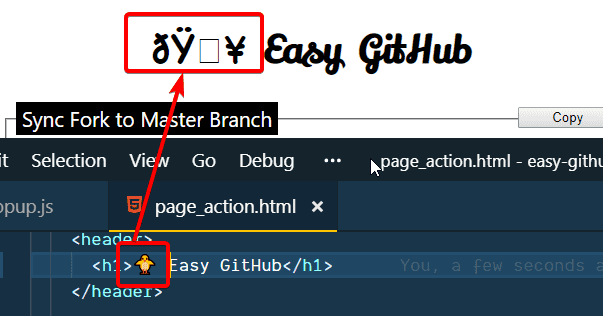
Emoji displayed as gobbledygook
The problem was that I had to instruct Chrome that I am using a unicode by adding a charset meta tag.
| <html> | |
| <head> | |
| <meta charset="UTF-8" /> | |
| ... | |
| </head> | |
| ... | |
| </html> |
Character Set set to UTF-8
This has fixed the issue and shows the cute 🐥 emoji correctly in the Chrome Extension popup.
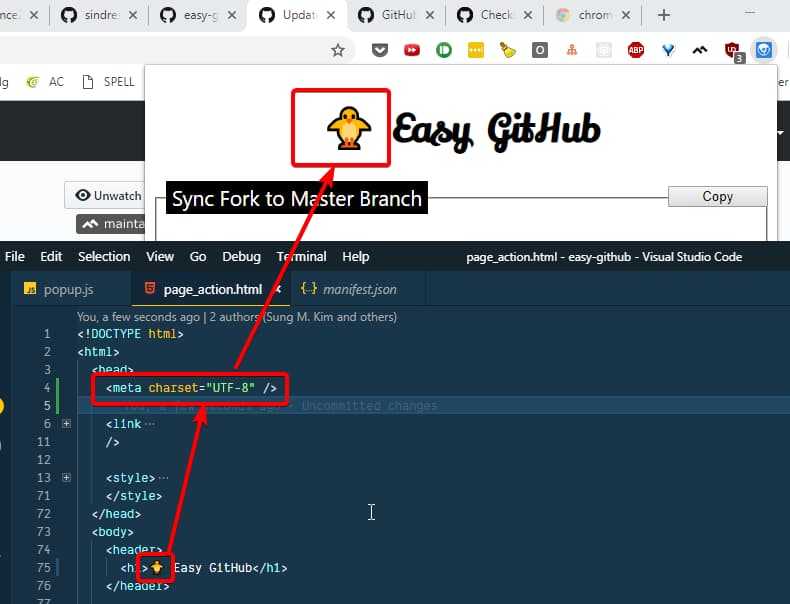
You can now see the cute baby chick 🐥
Webmentions
Loading counts...
❤️ 0 💬 0
Fetching Replies...
There is no reply...