react-use-localstorage
Broken Post? → Let me know
Photo by Chris Scott on Unsplash
React Hooks was just announced today at React Conf 2018.
You can check the official documentation
& also this dev.to article, Everything you need to know about React Hooks by Carl Vitullo
so I won't go into it further.
I created a simple hook called react-use-localstorage, which lets you store state in Local Storage.
🚀Prerequisite
You need to use following React versions.
- react: 16.7.0-alpha.0
- react-dom: 16.7.0-alpha.0
It's bleeding edge and not recommended to use in production.
You can follow along on CodeSandbox.
⚒How to use it
First, install the package, react-use-localstorage.
| npm i react-use-localstorage |
And use it in a "Functional Component".
| import React from "react"; | |
| import ReactDOM from "react-dom"; | |
| import useLocalStorage from "react-use-localstorage"; | |
| import "./styles.css"; | |
| function App() { | |
| const [item, setItem] = useLocalStorage("name"); | |
| return ( | |
| <div className="App"> | |
| <h1>Set Name to store in Local Storage</h1> | |
| <div> | |
| <label> | |
| Name:{" "} | |
| <input | |
| type="text" | |
| placeholder="Enter your name" | |
| value={item} | |
| onChange={e => setItem("name", e.target.value)} | |
| /> | |
| </label> | |
| </div> | |
| </div> | |
| ); | |
| } | |
| const rootElement = document.getElementById("root"); | |
| ReactDOM.render(<App />, rootElement); |
🏃Working Demo
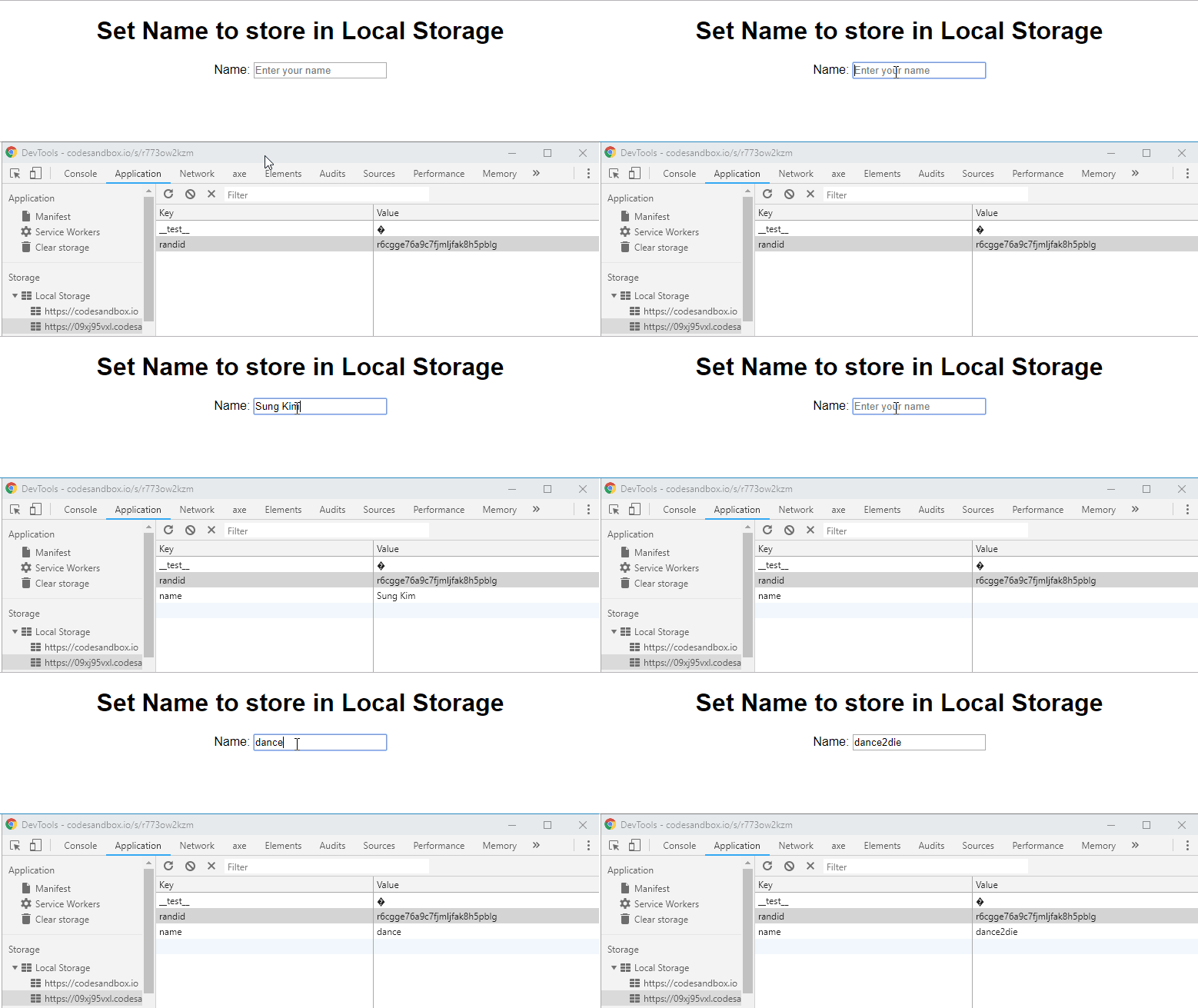
The demo shows that state is saved directly in local storage.
💫Additional Context
The source code is available on GitHub with MIT license.
Webmentions
Loading counts...
❤️ 0 💬 0
Fetching Replies...
There is no reply...